.png)
Camps
Registration Events
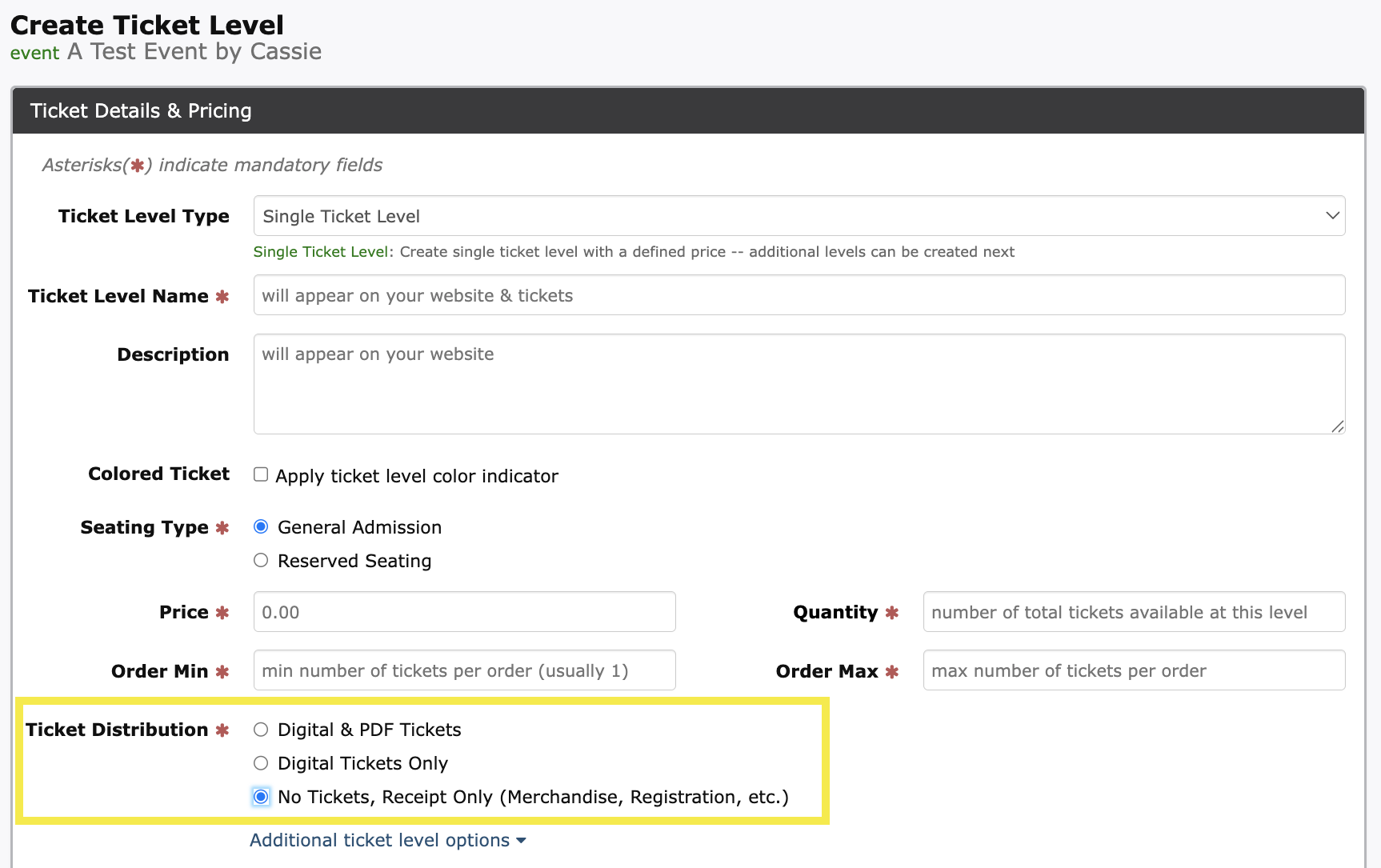
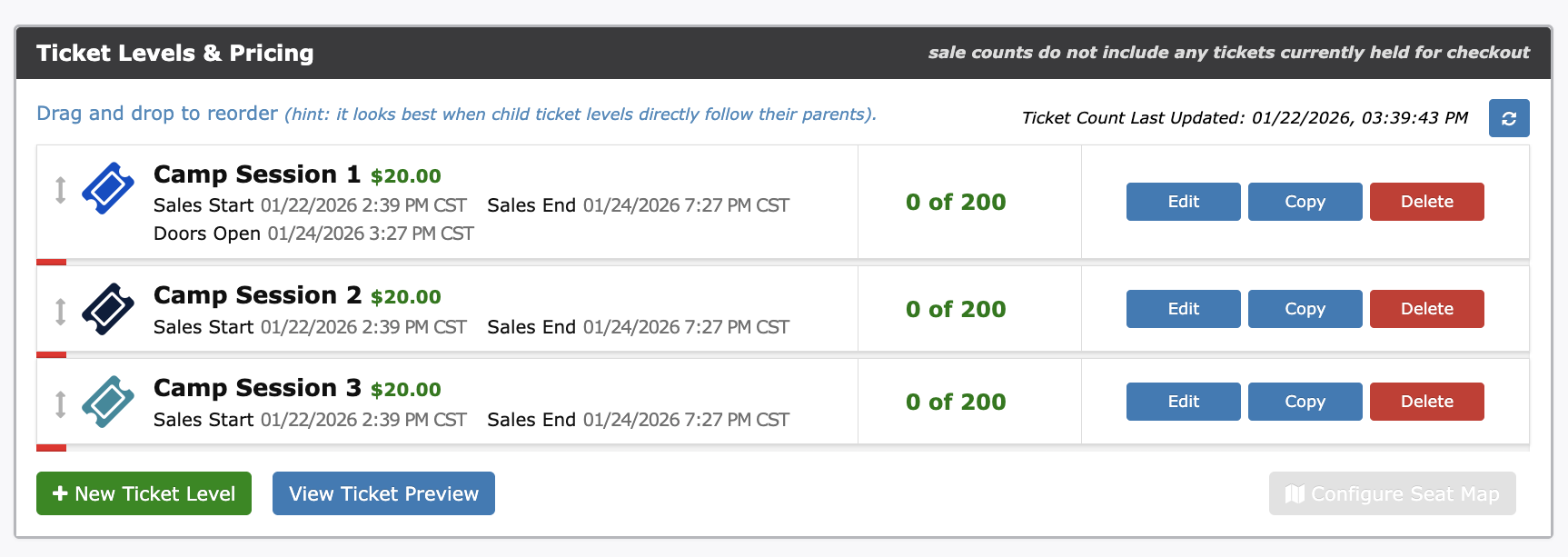
With any camp or registration based event, the event build begins with +New Event. You may choose to change the Get Tickets button to Register. The ticket levels will be created as registration levels. For example, instead of Adult and Student tickets, you might create registration levels such as, Camp Session 1, Camp Session 2, Camp Session 3. If ticket distribution is not required, be sure to change the Ticket Distribution option to No Tickets, Receipt Only (Merchandise, Registration, etc.)
Click here for more on editing ticket levels
Example of Camp Registration Levels:
Custom Fields (Checkout Questions)
Custom Fields allow you to collect information from purchasers during checkout, such as T-shirt sizes or emergency contact details.
You can either create Ticket Level specific fields, or Event Level specific fields.
Ticket Level- specific fields will appear in the checkout process for each individual attending the event (i.e. if 4 tickets are purchased, the field will appear 4 times)
Event Level- specific fields will only appear one time in the checkout process
To create Custom Fields:
Scroll to Advanced Event Options and click Edit next to Manage Custom Fields.
By default, the custom fields are set to Ticket Level, be sure to change this to Event Level if desired.
Click Add first question and choose a question type:
Short Answer
Checkbox
Dropdown
Date
Multiple Choice
Click Save Changes to apply.
After registration closes, download the Attendee List from the Reporting Center to view responses.
Click here for more information on Custom Fields
Click here for more information on Attendee Lists.
Custom Event Terms
Event Terms require purchasers to agree to terms and conditions before completing registration. These appear as a required checkbox during checkout.
To set Event Terms:
Scroll to Advanced Event Options and click Edit next to Custom Event Terms.
Enter your terms in the Custom Verbiage section and click Submit.
This feature is commonly used for parent or guardian consent when registering children for camp.
Click here for more information on Custom Event Terms
Additional Features to Consider
Event Codes: Apply presale, passcode, or promo codes to camp registrations.
Custom Fee Structure: If Stripe is connected, you can choose to pass along or absorb registration fees.
Notify Guest Feature: Communicate last minute event changes or event reminders
Scan In/Out in Gate App: Document the exact time students are checked-in and checked-out of your event
Donation Toggle: Enable the donation functionality to capture additional funds
Schoolfundr: Learn more or request a demo on how our online fundraising tool helps you raise more and keep more!
Prefer our team to help you setup the event? Click here to fill out a single-event submission form today!