.png)
Creating a New Event
Located on the Dashboard, select +New Event
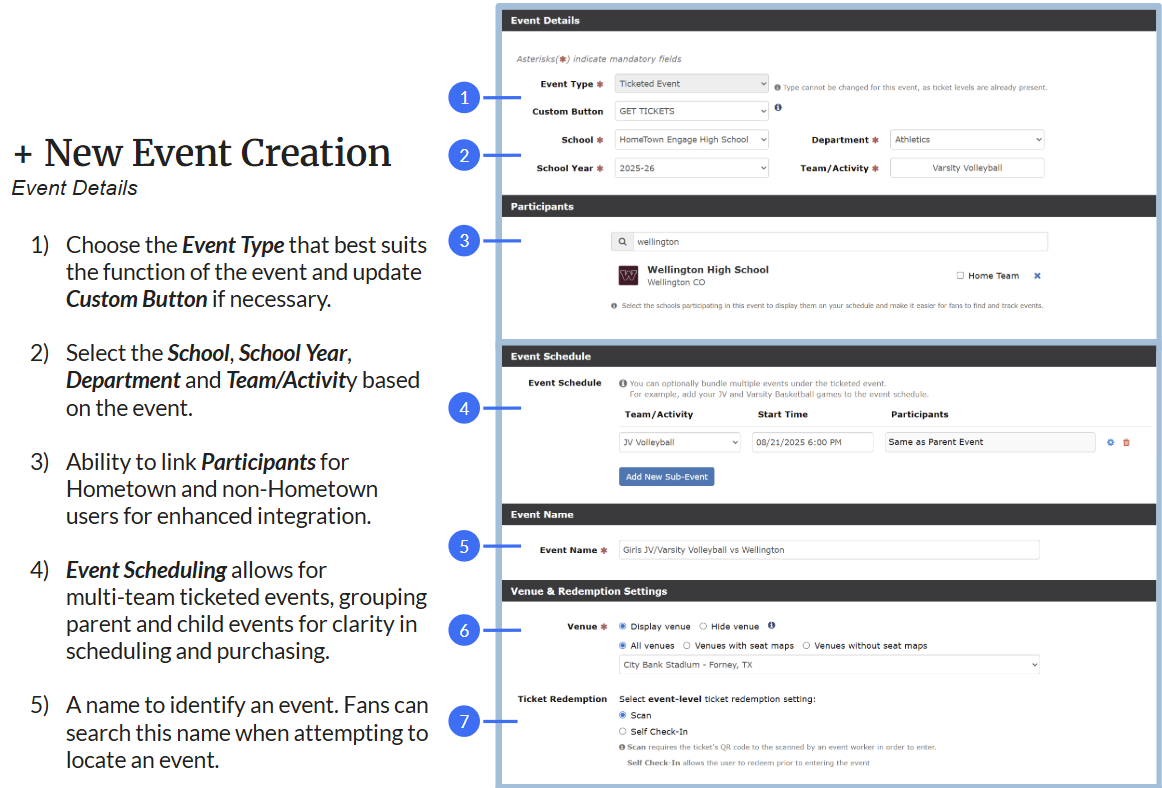
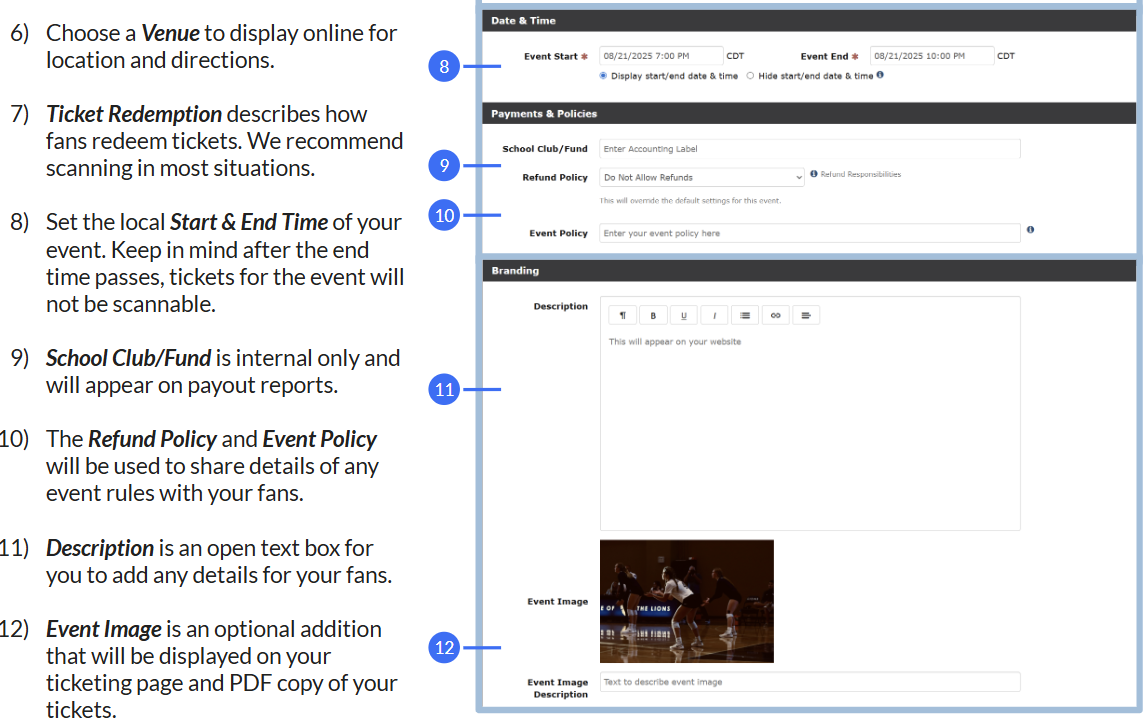
Enter the event details (see below for specifics regarding event details)
Click Next
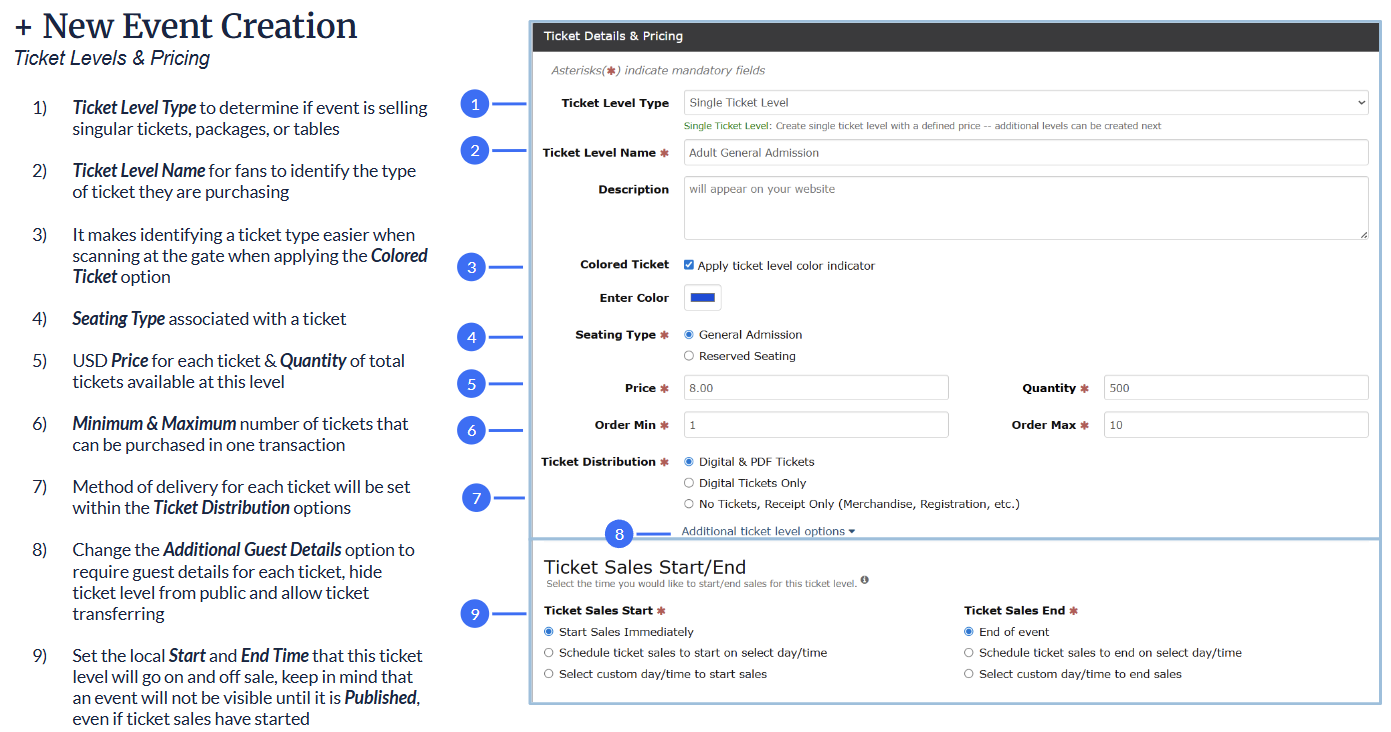
Define Ticket Levels
Click Next
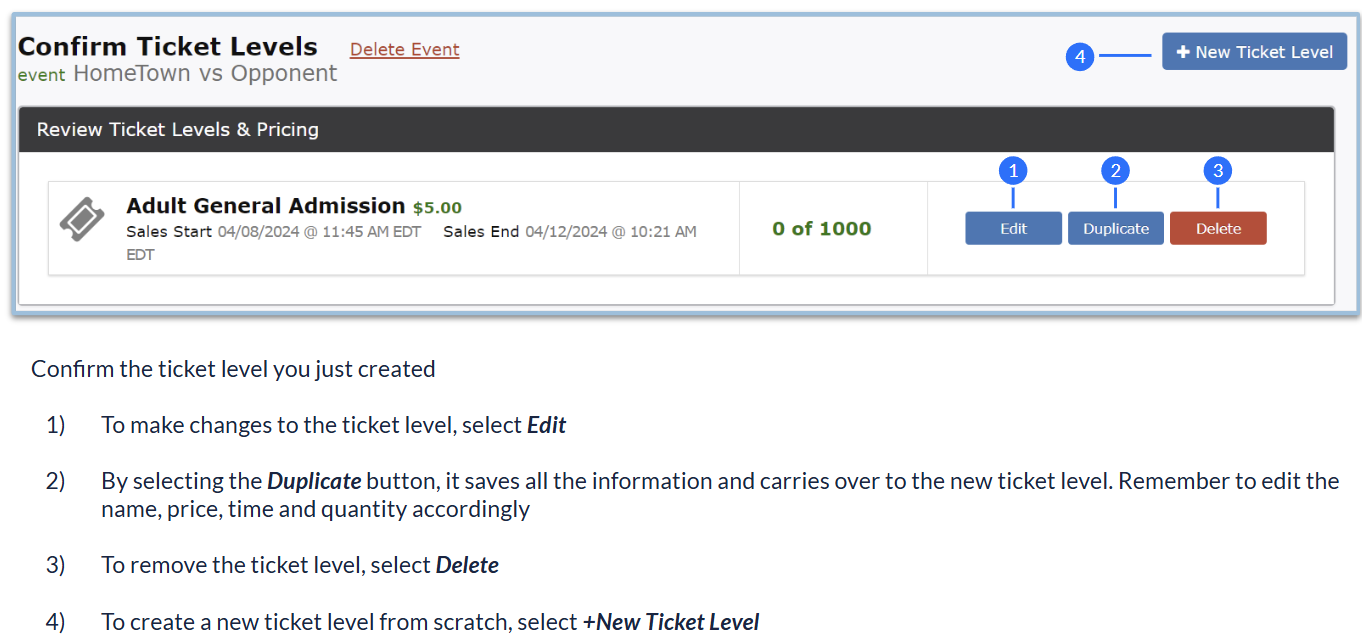
Confirm all ticket levels have been created by selecting Confirm
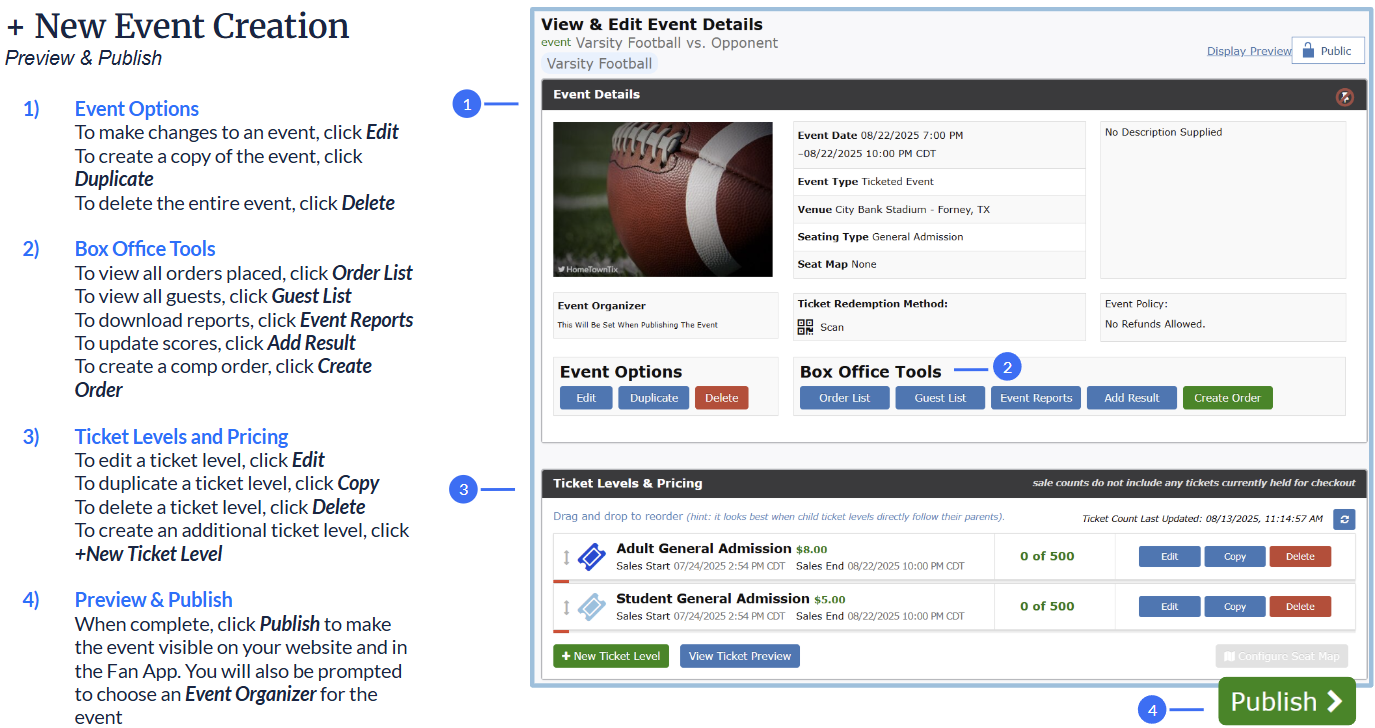
Preview and Publish
Optional:
Utilize the Duplicate feature to conveniently create the next event
Share and promote your event on social media or share a direct link to coaches and fans
Explore other Event Creation tools & features