.png)
Point of Sale Setup
Enter your Client ID, your username, and password
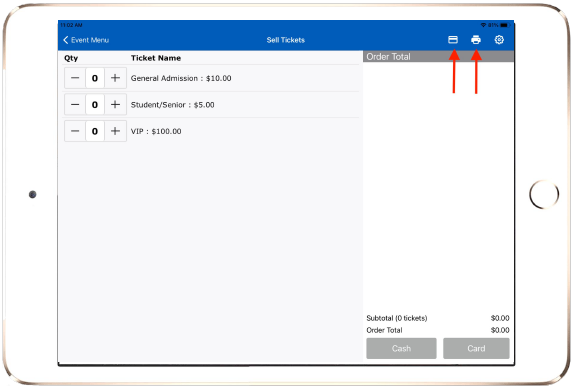
Select the Event → Sell Tickets
Connect the credit card reader. Simply press the power button of the
credit card reader, and the reader will automatically pair while in the
app (not paired by going to device’s Bluetooth settings).On the top header of the sell screen, verify that the card
reader is connected. If they are not connected, you will see a dash through the
icon. Please retry the setup process.