.png)
Adding a Venue
Creating a venue is required to provide a precise location for your event.
Log into the Box Office
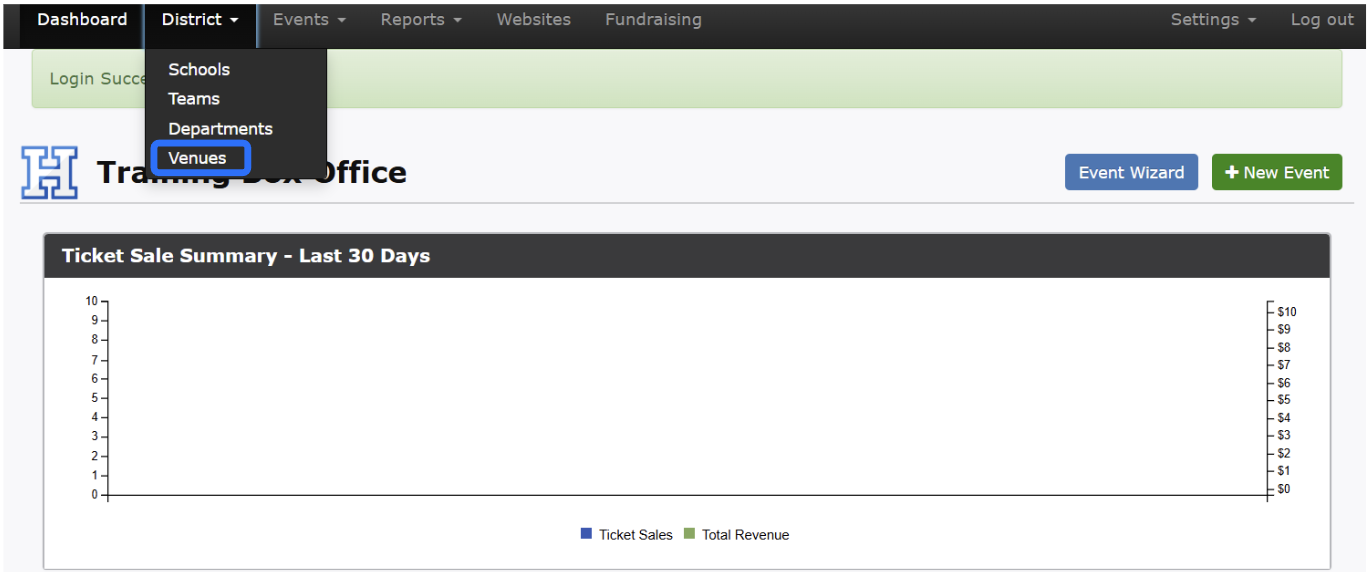
From the top menu, click on District → Venue List
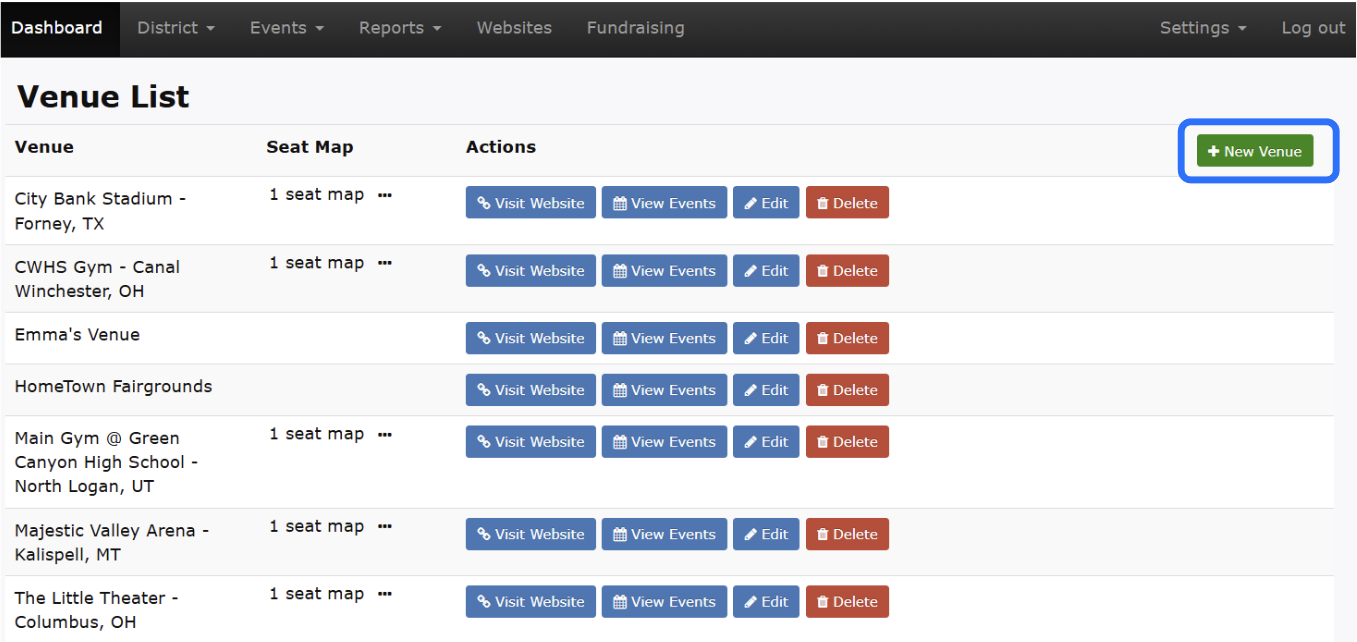
Click +New Venue
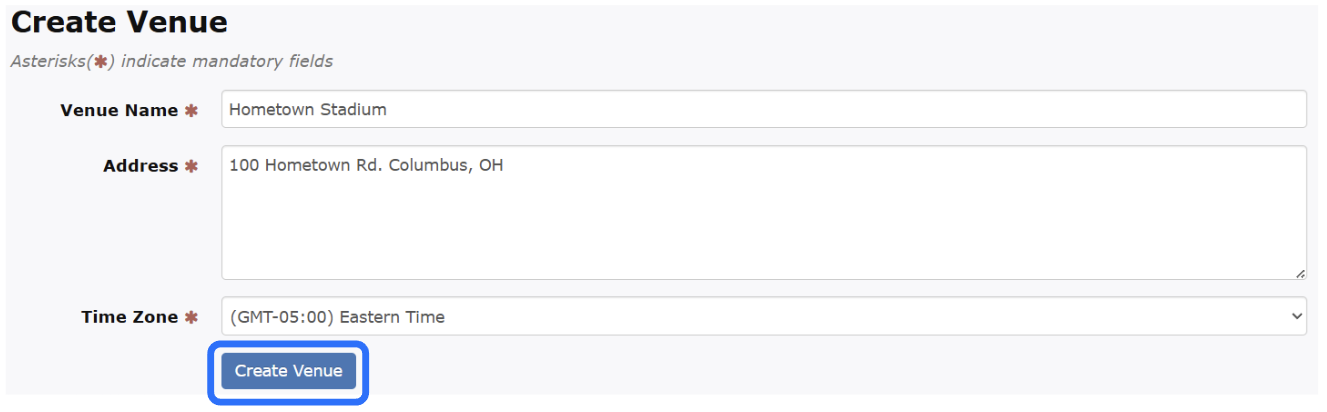
Enter the Venue Name, Address and Time Zone
Click Create Venue
Creating a venue is required to provide a precise location for your event.
Log into the Box Office
From the top menu, click on District → Venue List
Click +New Venue
Enter the Venue Name, Address and Time Zone
Click Create Venue