.png)
Adding a New User
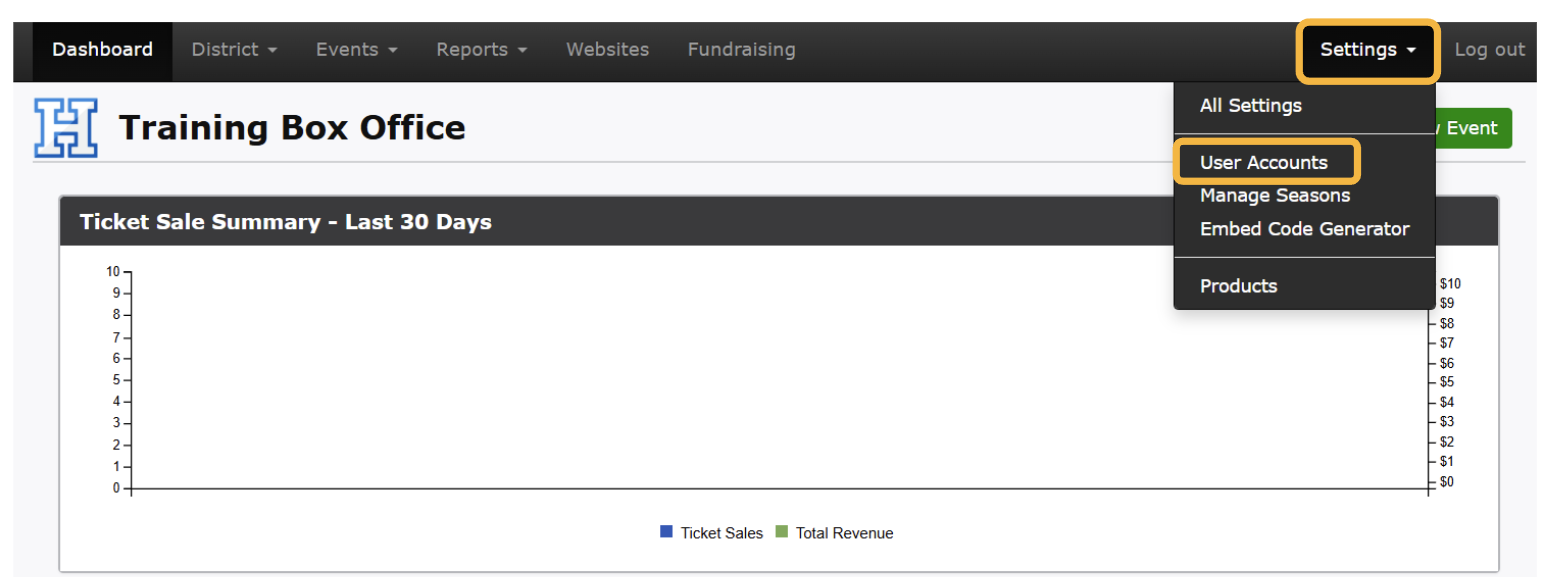
In your Dashboard, click on the Settings Tab
Select User Accounts
Click on the button that says +New User
Please reference the Security Levels Outline shown below and linked above for the permission levels for all account users.
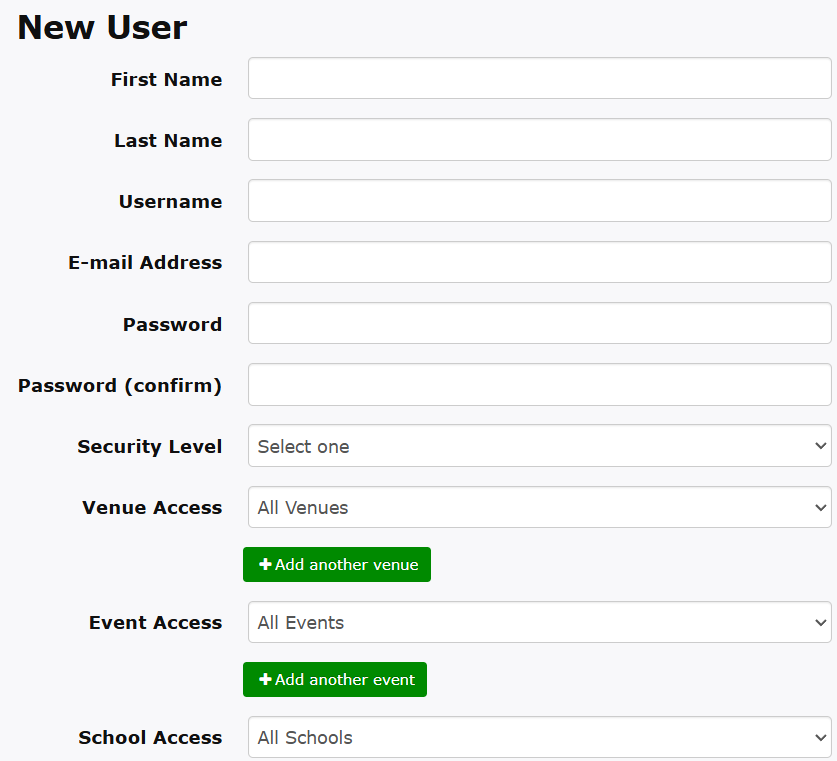
You are able to utilize the Venue, Event, School and Department Access to help organize each User’s visibility in the dashboard.
Required: First Name, Last Name, Username, E-mail, Password (and confirmation) and Security Level
Optional: Specific filtered access for Venues, Events, Schools and DepartmentsFinish by clicking on Create Account
Pro Tip: Create a generic user account for Volunteers to utilize when redeeming tickets at events. Security Level: App Only. Download the Volunteer Check-In Resource to provide Volunteers with a quick guide on Gate App instructions, scanning training and support.